Create your account
This is where you learn how to create your account on explorer.land.
Last updated Over 1 year ago
Setting up your account on explorer.land is the first step to bringing your restoration or conservation project to life. This onboarding guide will walk you through the process, ensuring you’re ready to showcase your goals, progress, and impact.
Step 1: Create your account
1. Go to the explorer.land
Visit explorer.land and click on the Register button in the top-right corner.
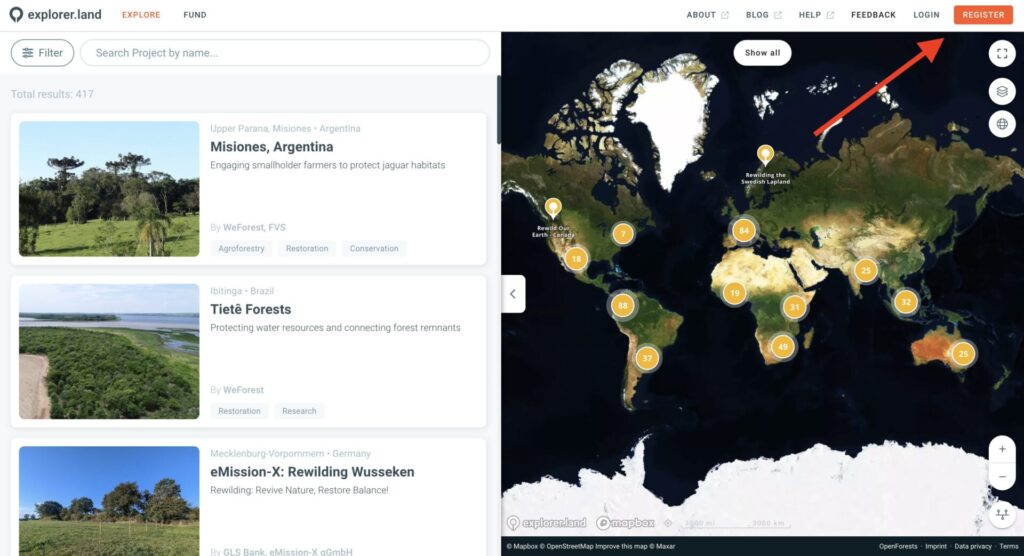
2. Enter your email
Provide your email address, user name and password and click on Sign up.
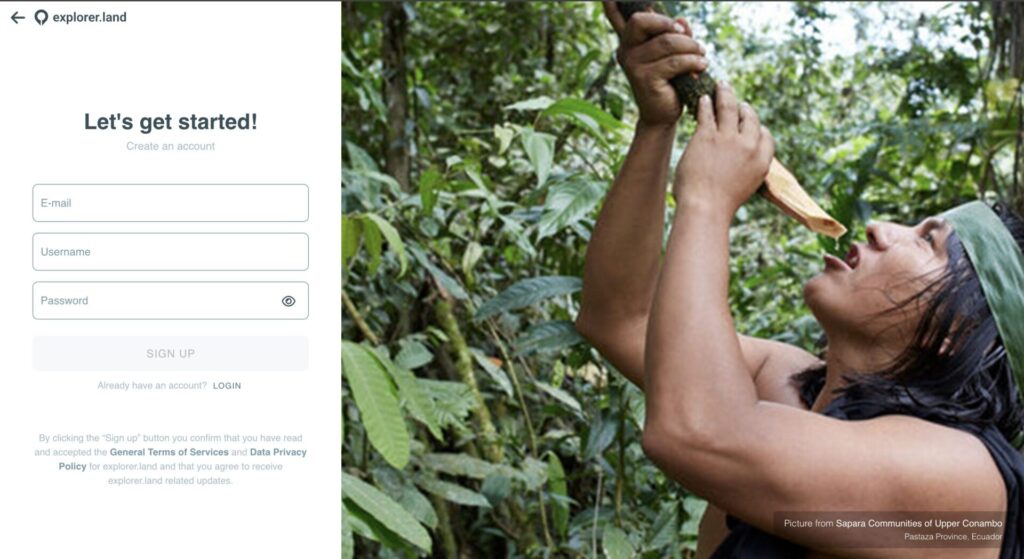
Note: You’ll always be able to edit Username and Password within your account afterwards.
3. Confirm your email address
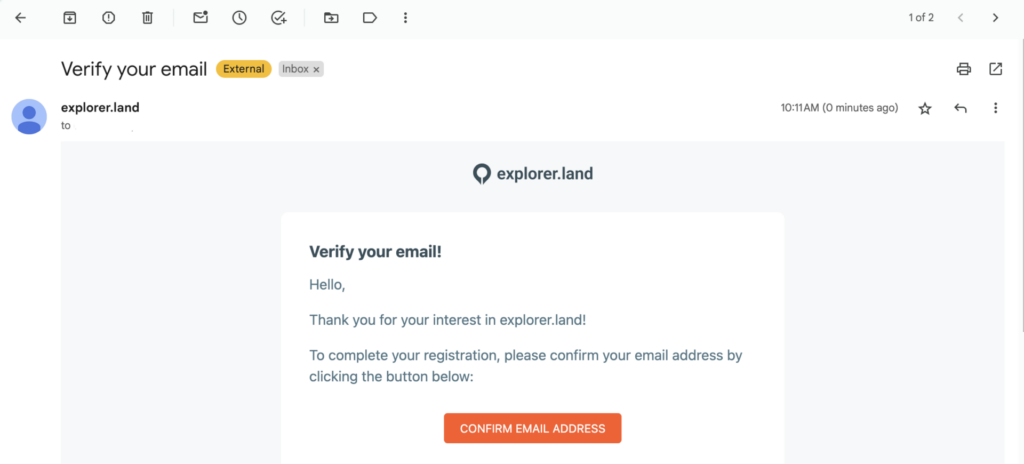
After signing up, check your inbox for a verification email. Click the link to activate your account.
Step 2: Complete your registration
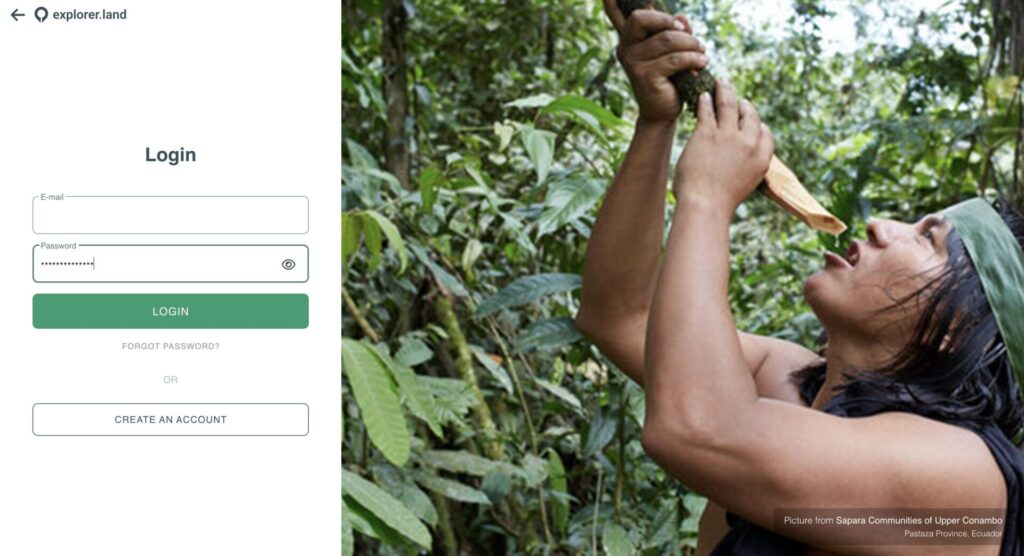
Log in to your dashboard
When your profile is verified, you’ll be asked to complete your profile with your name and organization details. Once this is done, you’ll access your user-friendly dashboard.
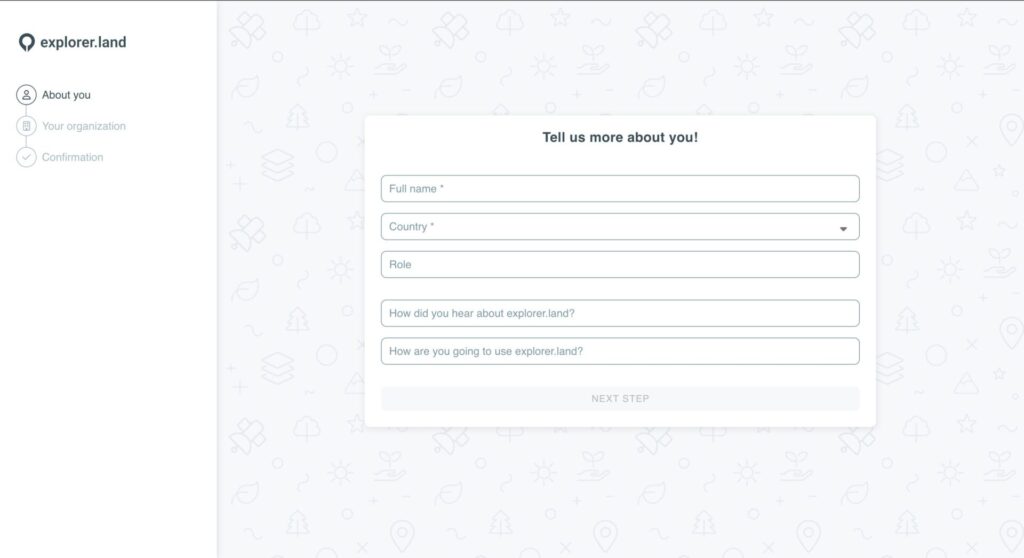
2. Tell us a bit more about you
Add your full name and country. If you wish, you can also add your role and tell us how you heard about explorer.land and how you intent on using it. Those answers allow us to understand you a bit better and improve your experience.
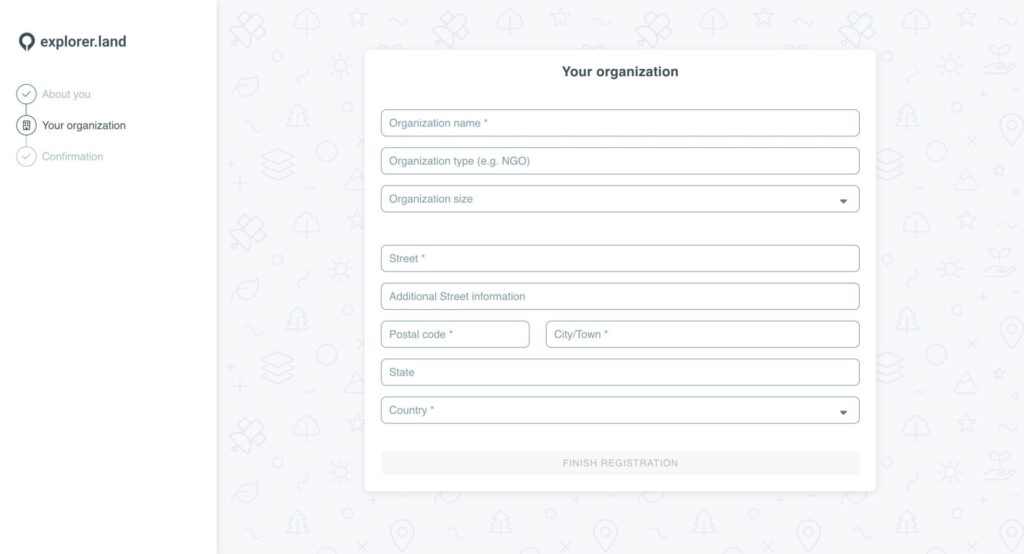
3. Add your organization’s details
Include your organization’s name and full address.
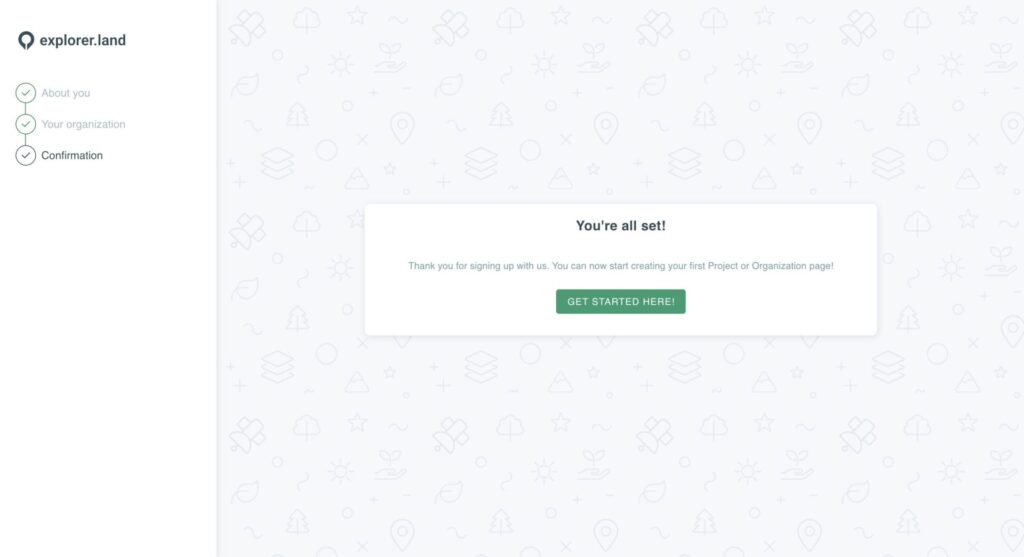
4. You’re all set!
That’s it, you’re on board! Now you can access your dashboard, set up your organization, create your first project and activate your funding opportunities.
Tip for a Smooth Start: Make sure to bookmark your dashboard link for quick access.
explorer.land simplifies the process of showcasing your project’s impact, and setting up your account is the first exciting step. Start now and join a growing community of restoration and conservation champions sharing their stories with the world!
Ready to get started? Sign up today!
Was this helpful?
Still need help? Ask the team