Landscape Projects
On explorer.land, a "Landscape Project" is a higher-level presentation designed to showcase a broad geographical area that contains multiple distinct initiatives.
Last updated 9 months ago
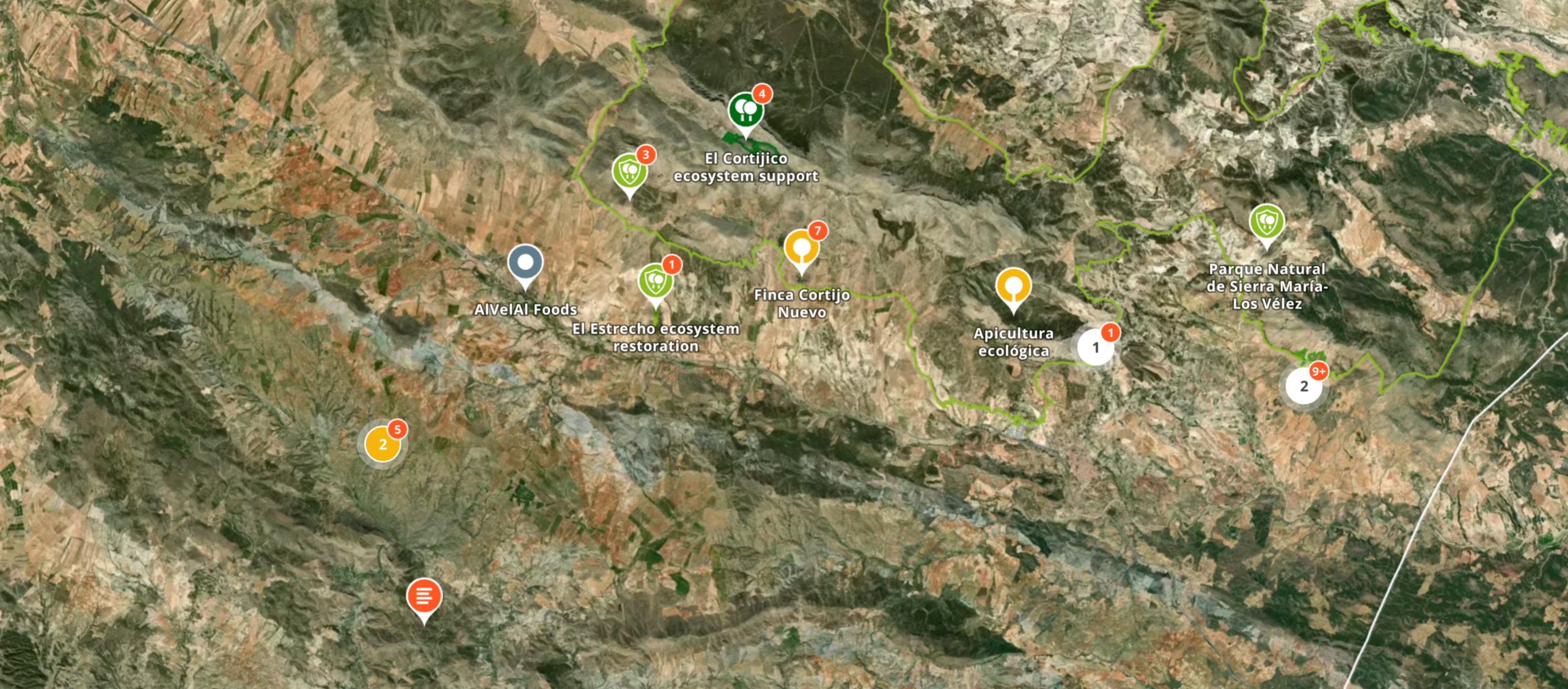
What are Landscape Projects?
A Landscape Project acts as an umbrella or aggregate view. Instead of representing a single initiative, it unifies a collection of individual projects (subprojects) into one cohesive map-based story. It is typically used by:
Large Organizations or Initiatives: To show their entire portfolio of projects across a region.
Multi-stakeholder Initiatives: To visualize how different organizations are working together within a specific ecosystem (e.g., a watershed or a biological corridor).
Regional Programs: To demonstrate the cumulative impact of various restoration efforts in a specific landscape.
On a technical level, the main difference between a Landscape Project and a Project, is that you are able to add and aggregate Projects to your Landscape Projects map and profile.
Activating the Landscape Project feature
Any Project can be turned into a Landscape Project.
To activate the Landscape feature, please contact support@openforests.com.
Adding Sub-Projects
Once your Landscape Project is active, you are able to add Subprojects to it.
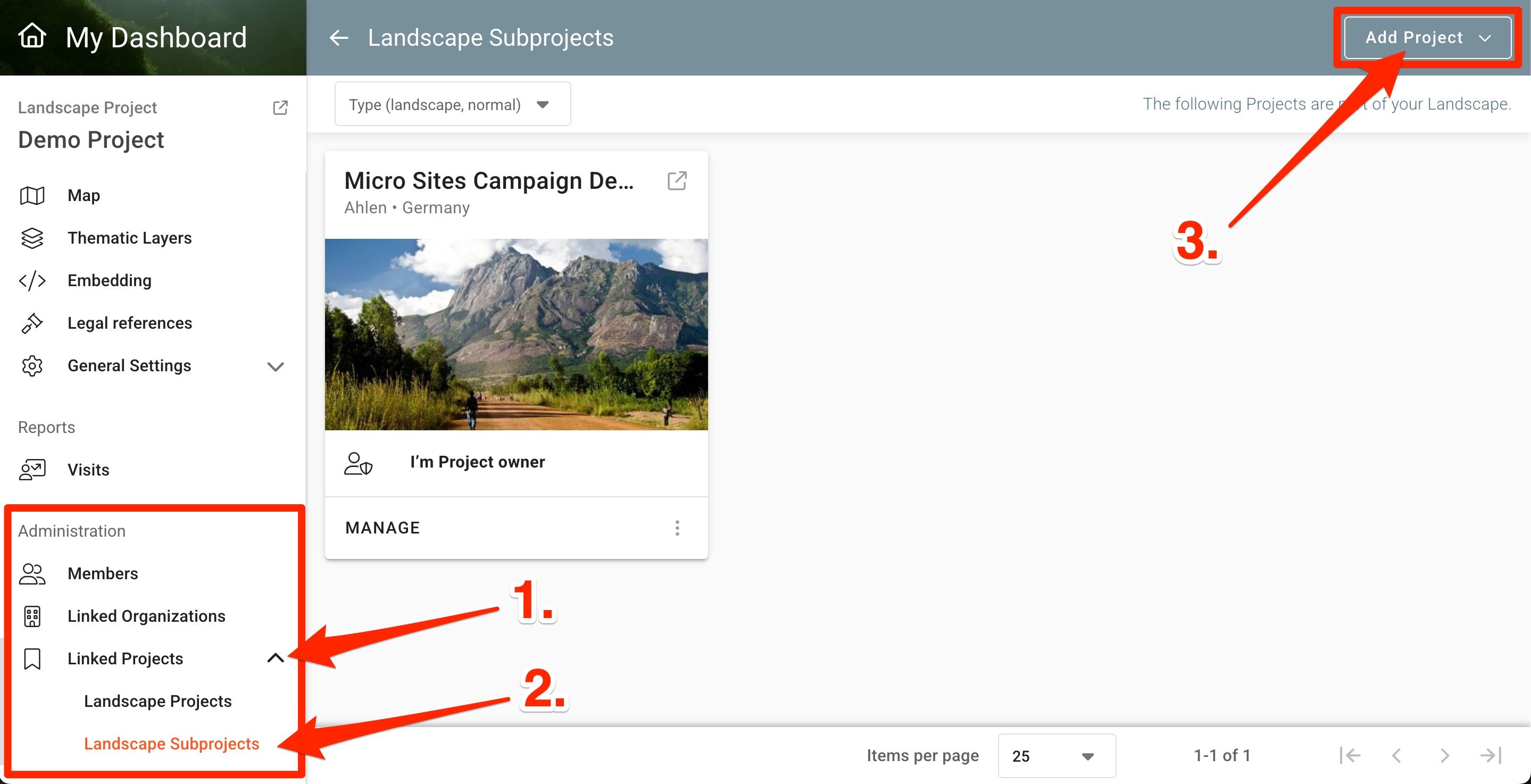
Navigate to the Administration section of your Landscape Project’s dashboard and under the Linked Projects dropdown, select Landscape Subproject. Click on the Add Project button to select you project.
News Posts Propagation
Note that all News Posts from linked Subprojects will be propagated to your Landscape Project profile News section. Click here to learn more about News Posts.
Was this helpful?
Still need help? Ask the team