Stakeholder Categories
To better organize your Stakeholders you can create custom categories. These categories can then be assigned to your Stakeholders to create smaller groups of stakeholders.
Last updated 4 months ago
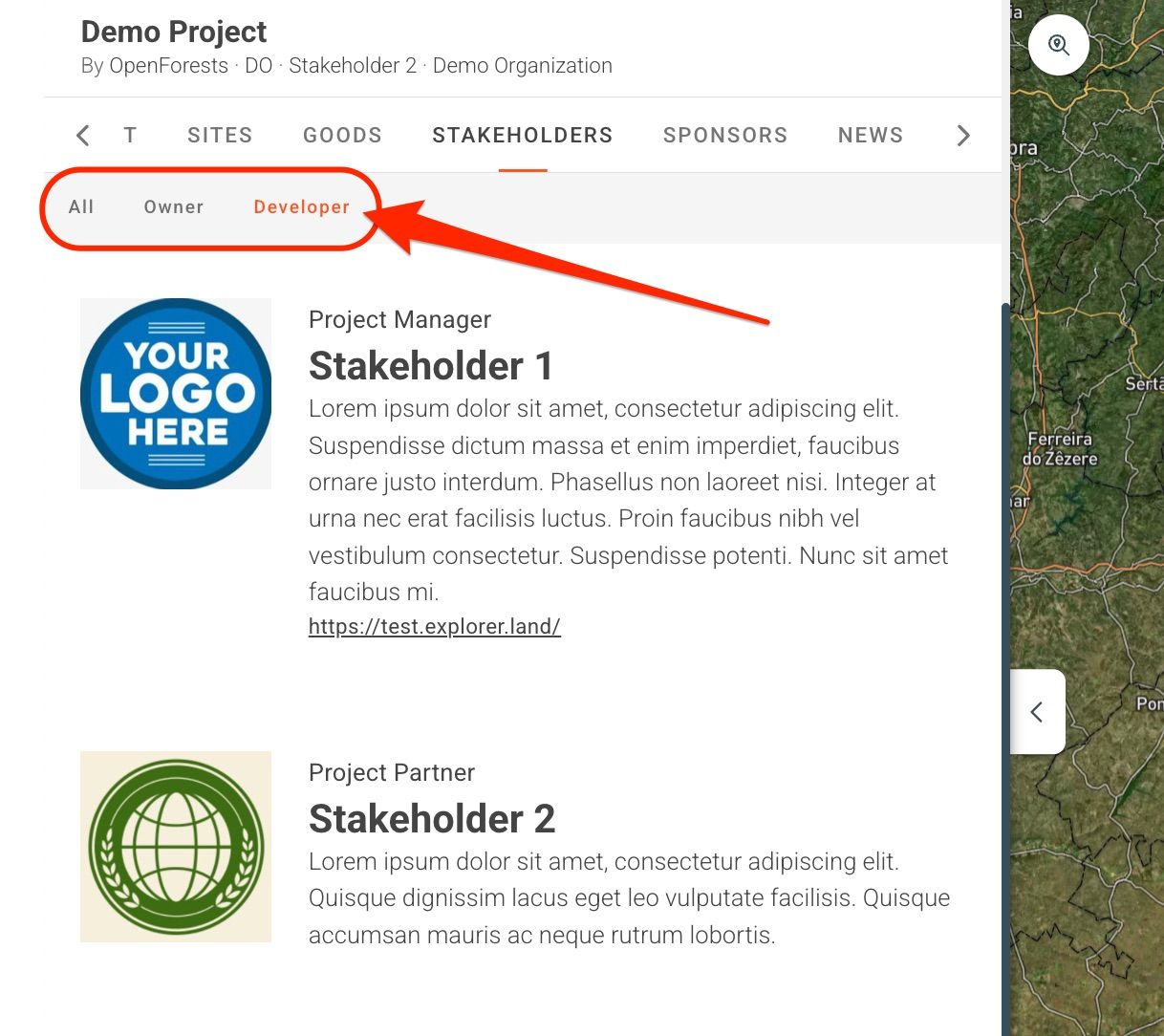
Activate Stakeholder Categories
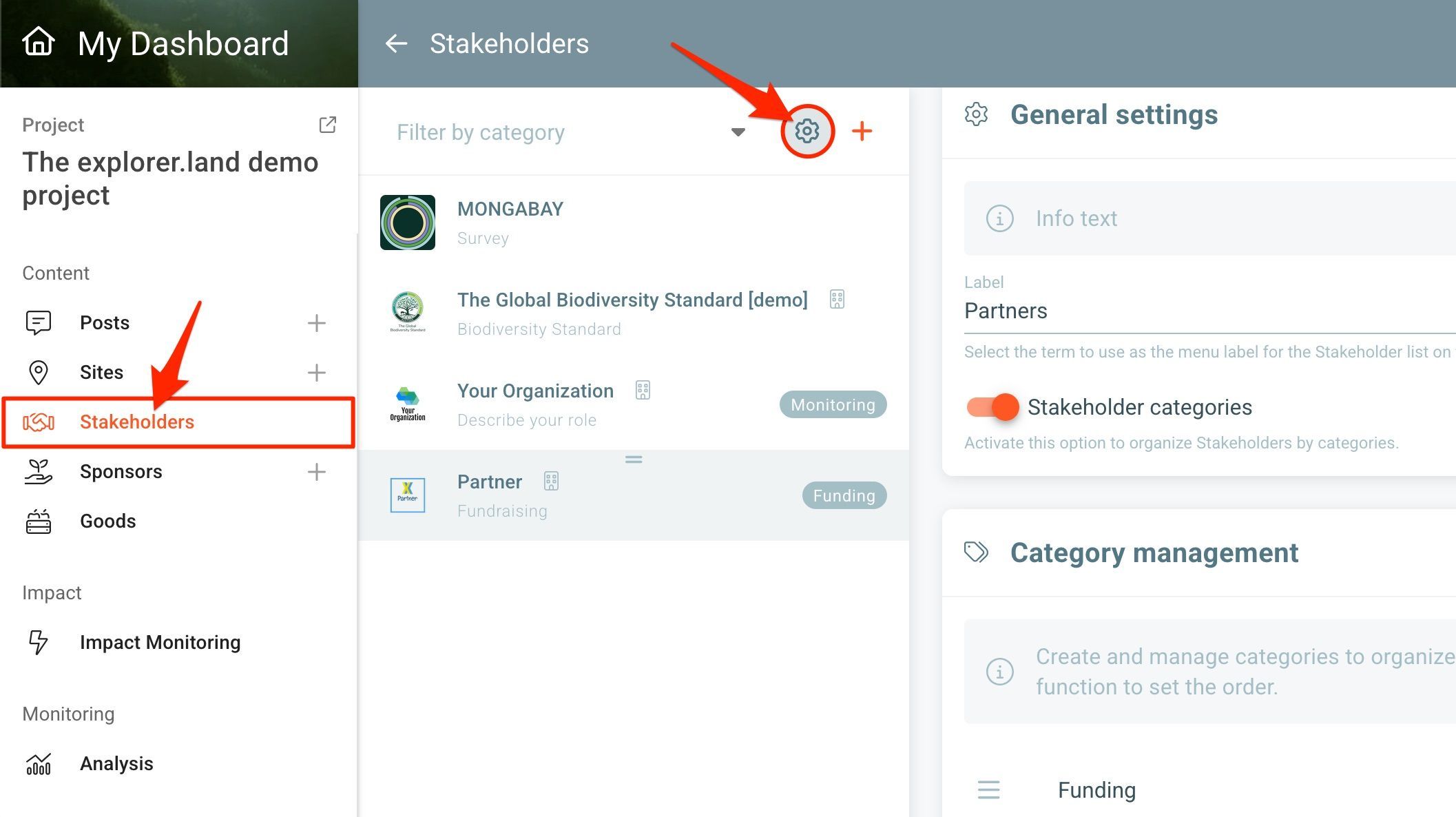
To activate the Stakeholder Categories, open the Stakeholder settings in your Stakeholder list page by clicking on the settings button (cog icon). The Stakeholder General settings section will open on the right side.
To activate categories, click on the Stakeholder categories slider button. Click SAVE. The Category Management section will appear below.
Category Management
To create a new category or edit/delete existing ones, use the Category management box underneath.
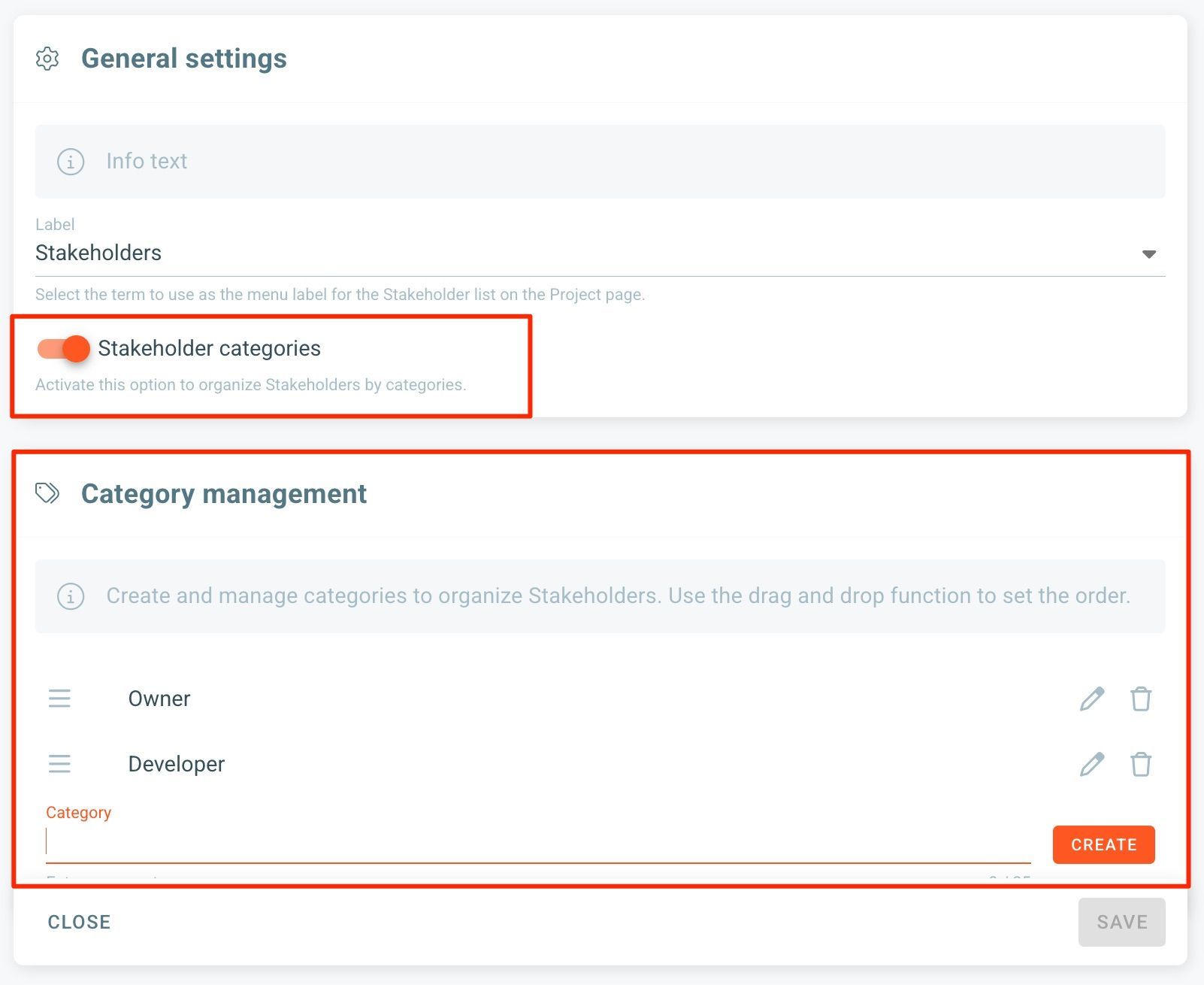
You can also reorder existing categories.
Click SAVE when finished.
Assign a Stakeholder Category
On the Stakeholder management page of your project, click on the Stakeholder to open the Stakeholder edit section. At the bottom right you will find the category box.
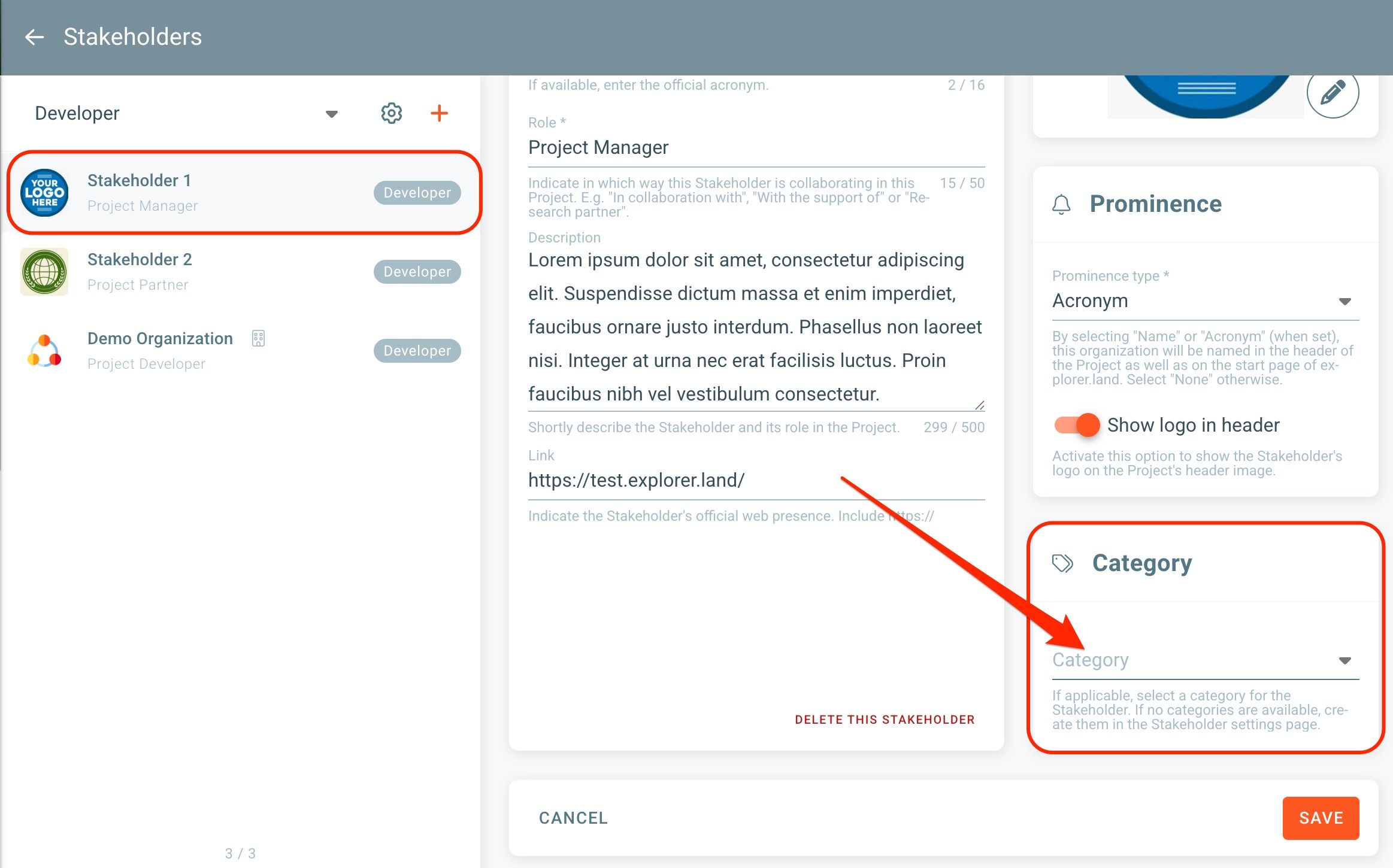
Click on the dropdown menu to chose from your previously created categories.
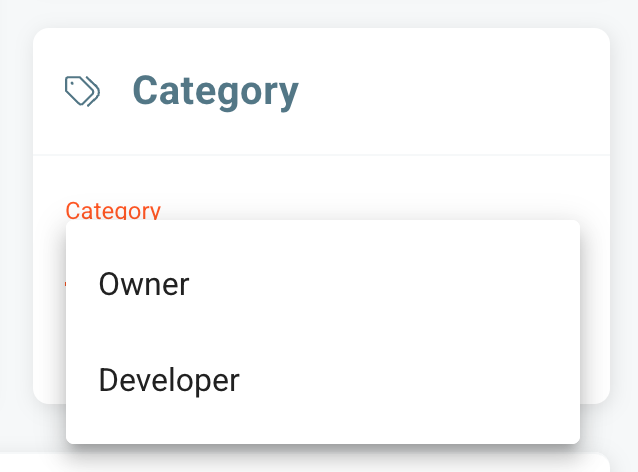
Click SAVE when done.
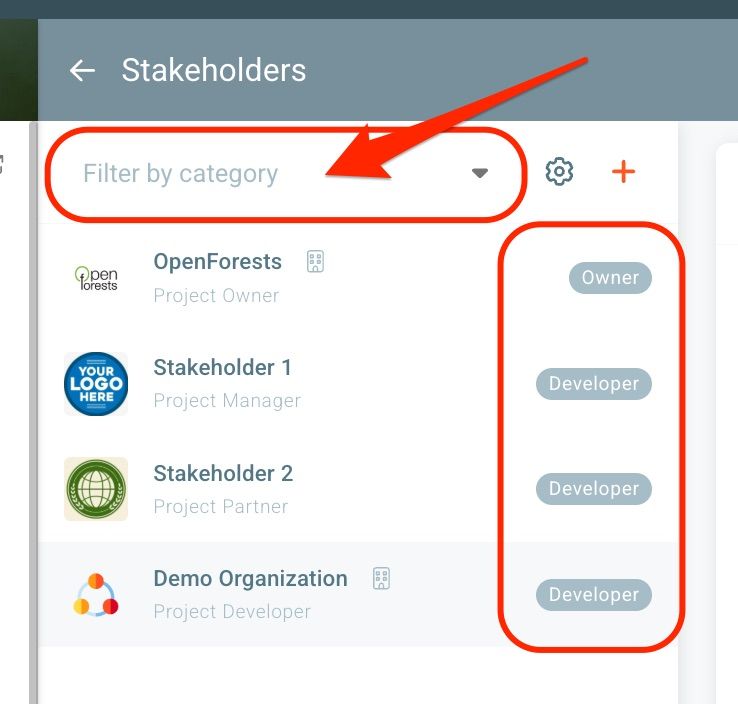
The category label will then appear in front of the Stakeholder. To filter Stakeholders by category click on the Filter by category field.
Was this helpful?
Still need help? Ask the team