Add Linked Organizations to the Stakeholders list
Last updated About 1 year ago
Linking an Organization to a Project will not automatically add it as a Stakeholder. To add a Linked Organization as a Stakeholder to the Project, carry out the following steps.
On the Project administration panel go to the Linked Organizations page. Each Organization card shows if it is listed or not on the Stakeholder list.
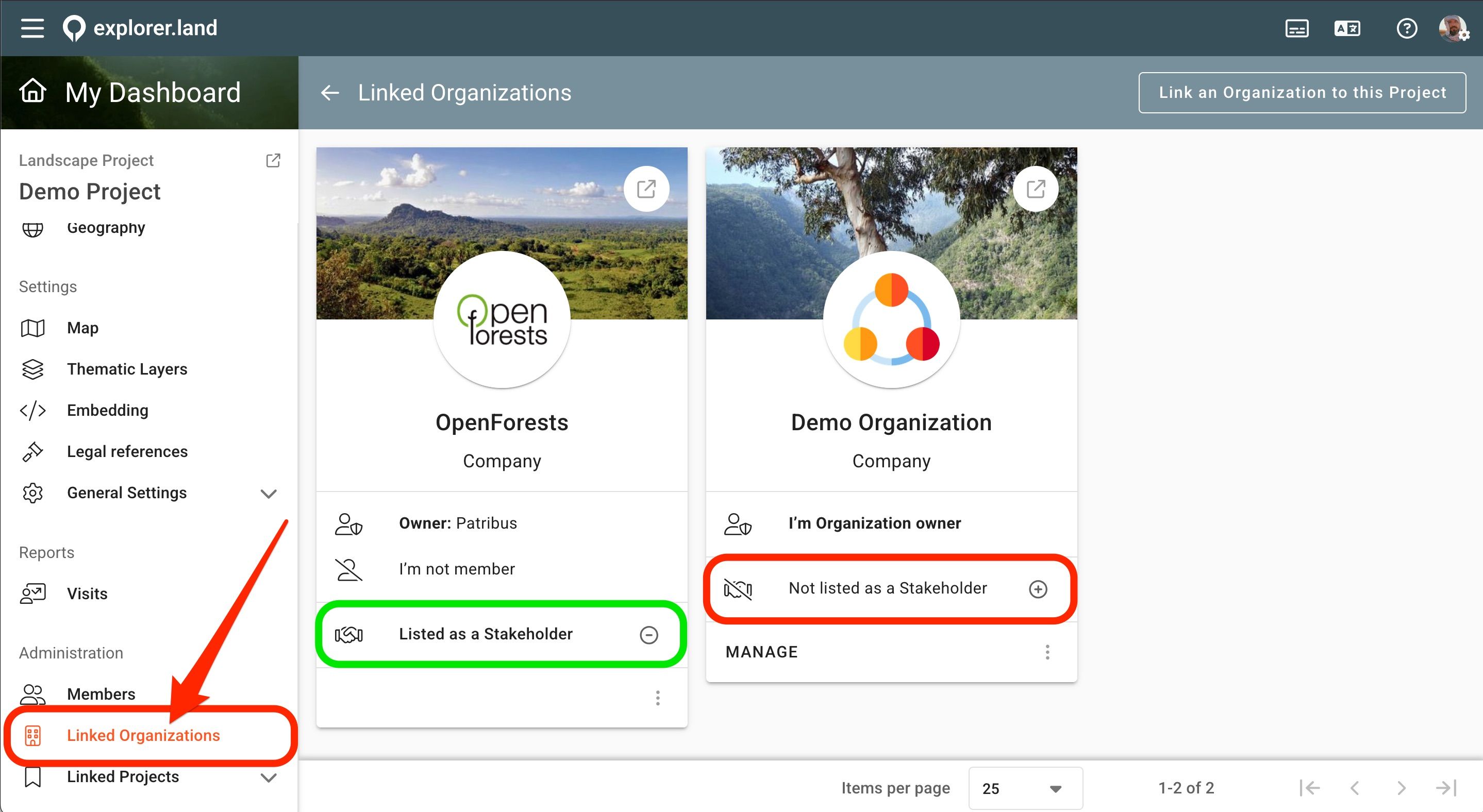
The Organization shown on the card on the right is not listed on the Stakeholders list, while the Organization shown on the card on the left is listed.
Note: If your Project still does not have any Organizations linked to it and the respective list is empty, learn how to do it here.
Choose which Organization you want to add to the Stakeholder list and click on the plus icon.
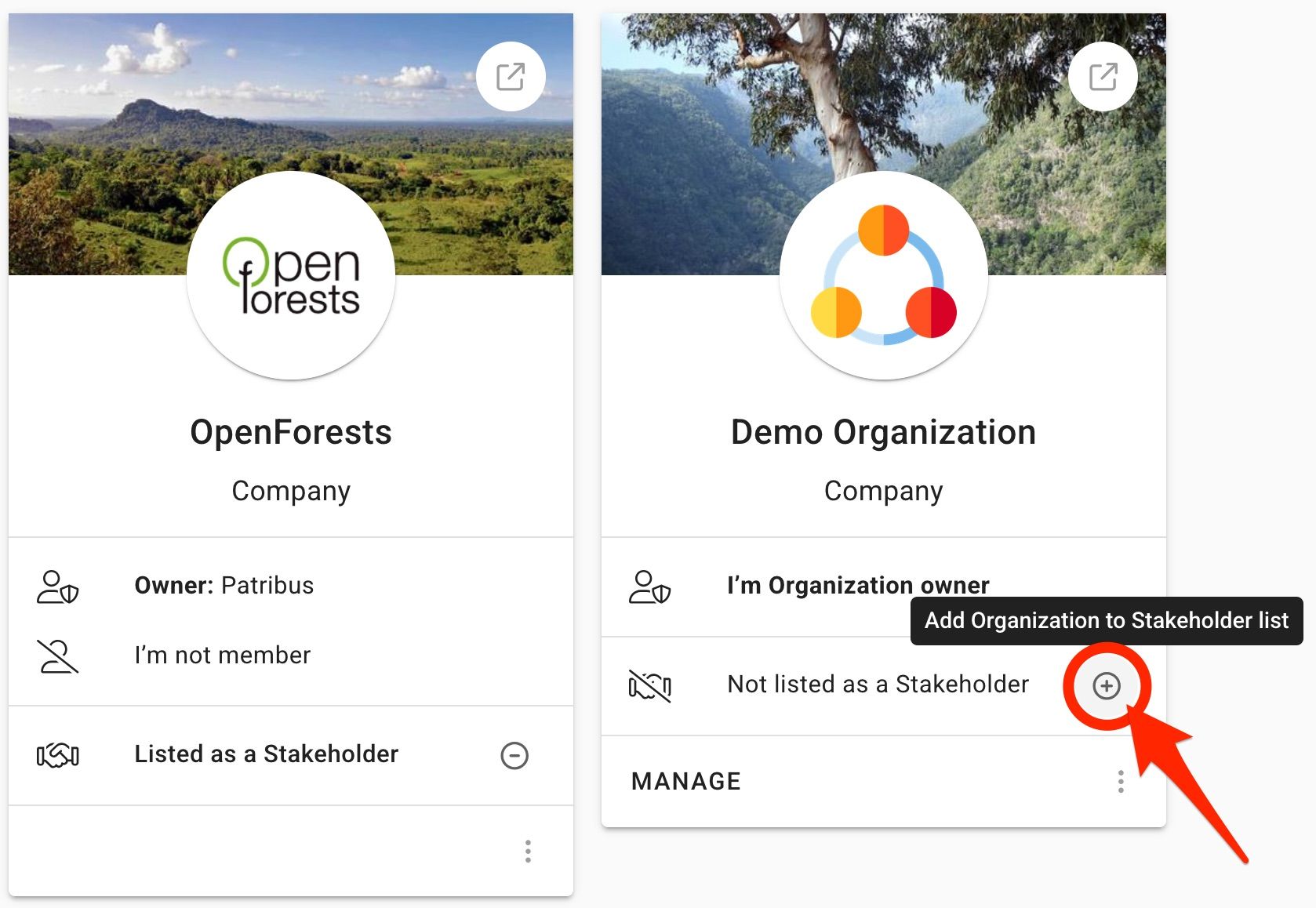
A popup will open. By clicking in the search field, a dropdown list will open.
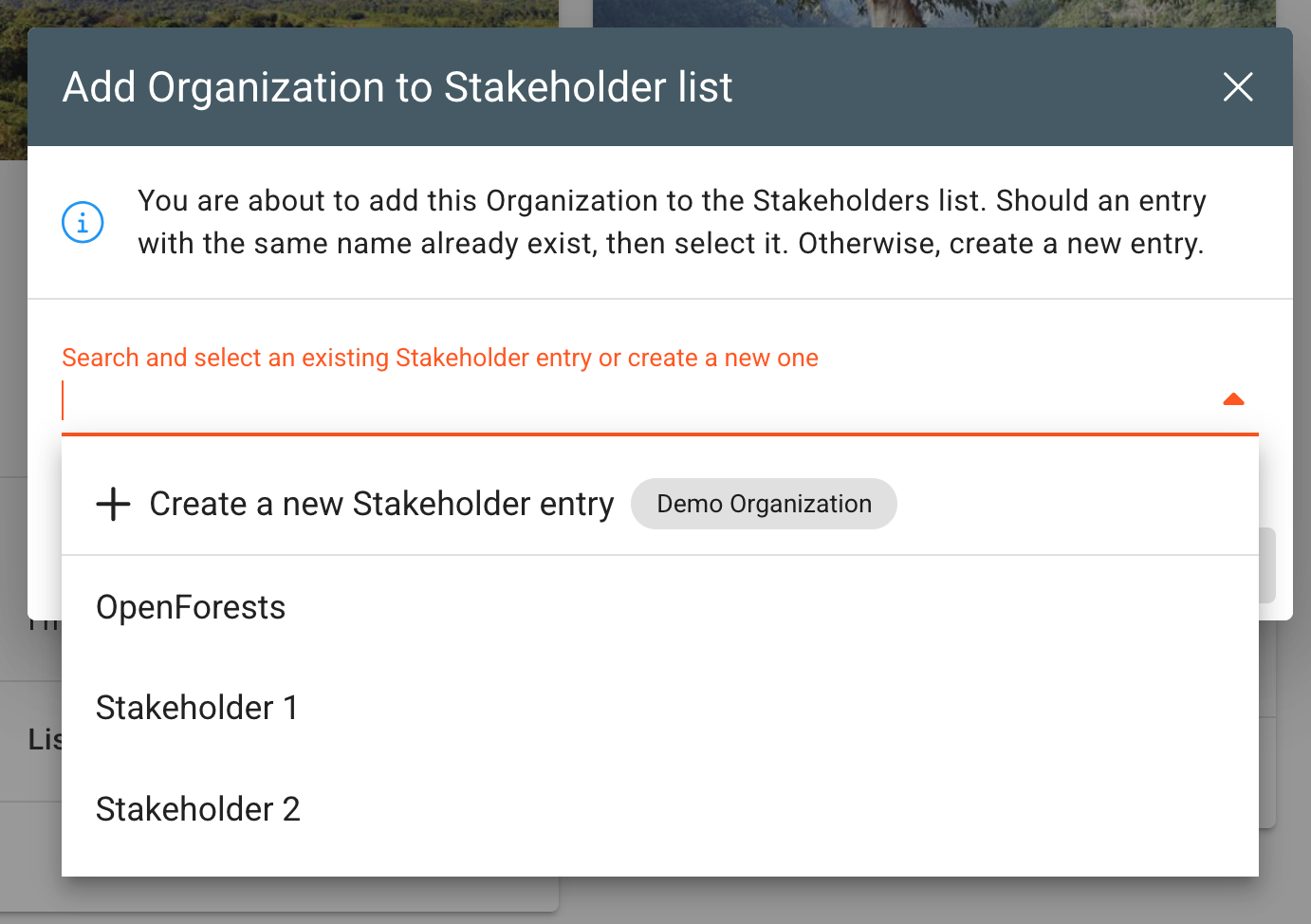
Now, there are two possibilities:
a) A Stakeholder entry with the same name as the Linked Organization already exists, or
b) There is no Stakeholder entry for the chosen Linked Organization yet.
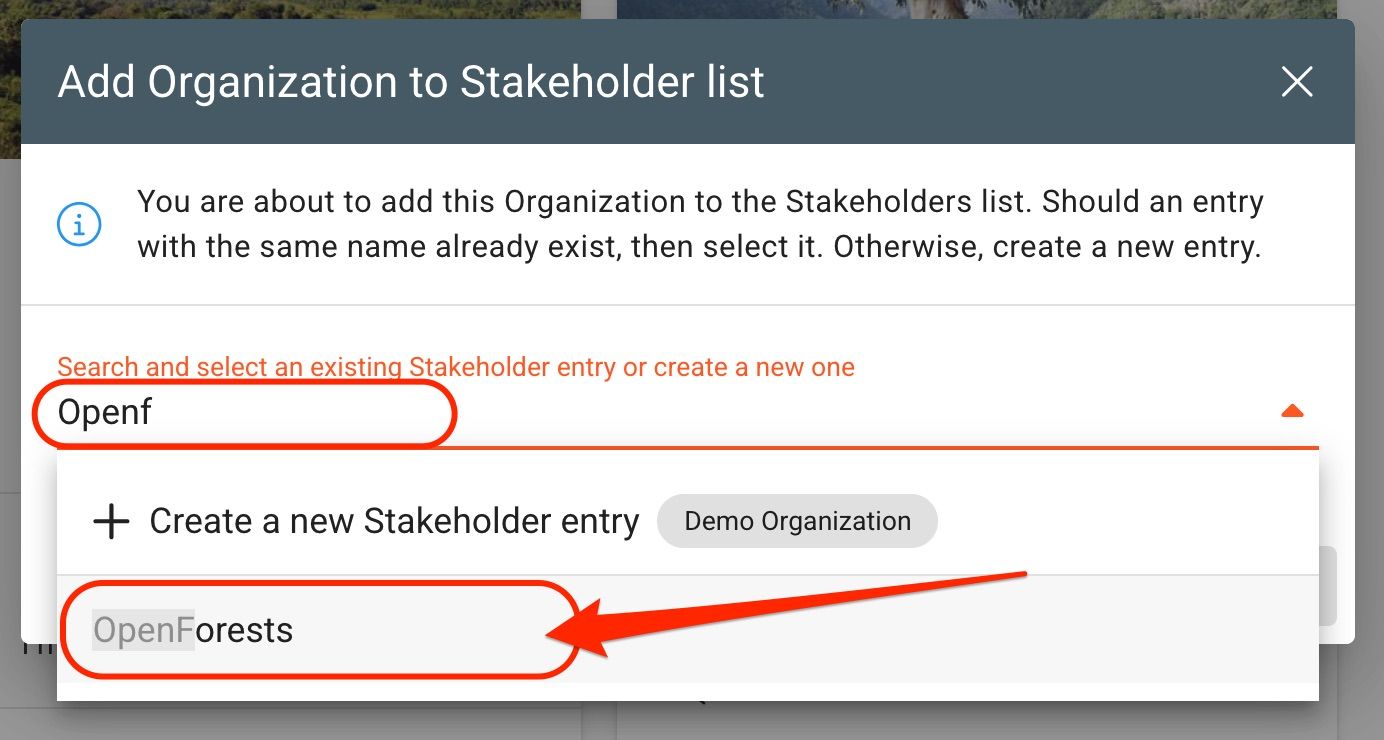
a) A Stakeholder entry with the same name already exists
Check if the Organization is already listed as a Stakeholder. Start typing in its name to filter the list below. If there is already a Stakeholder entry with the same organization name, it will appear in the drop-down list. Select the respective entry.
b) A Stakeholder entry for the Organization does not exist
If there is no Stakeholder entry for the chosen Linked Organization yet, create a new one by selecting the respective option.
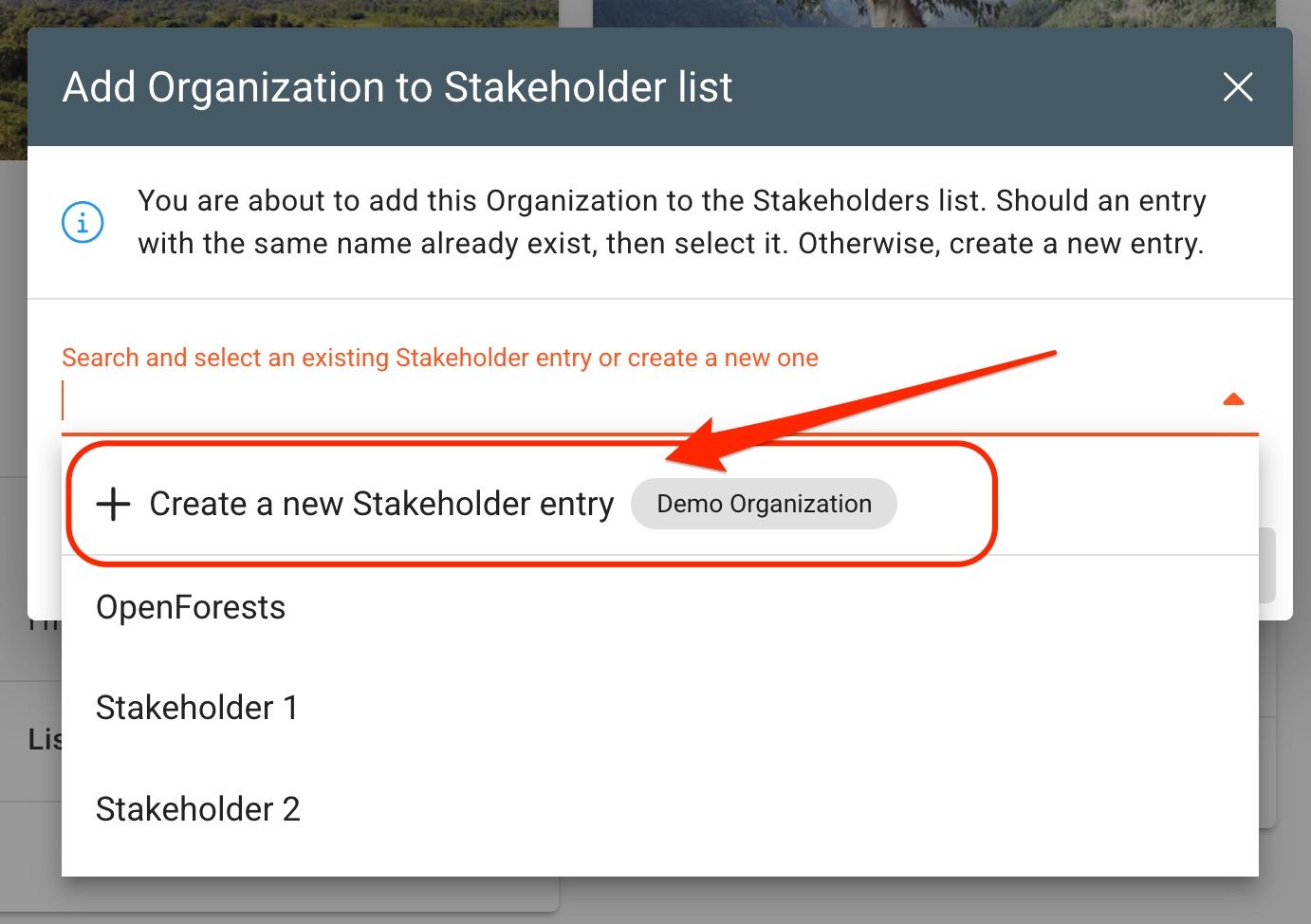
In both previous cases, a form opens.
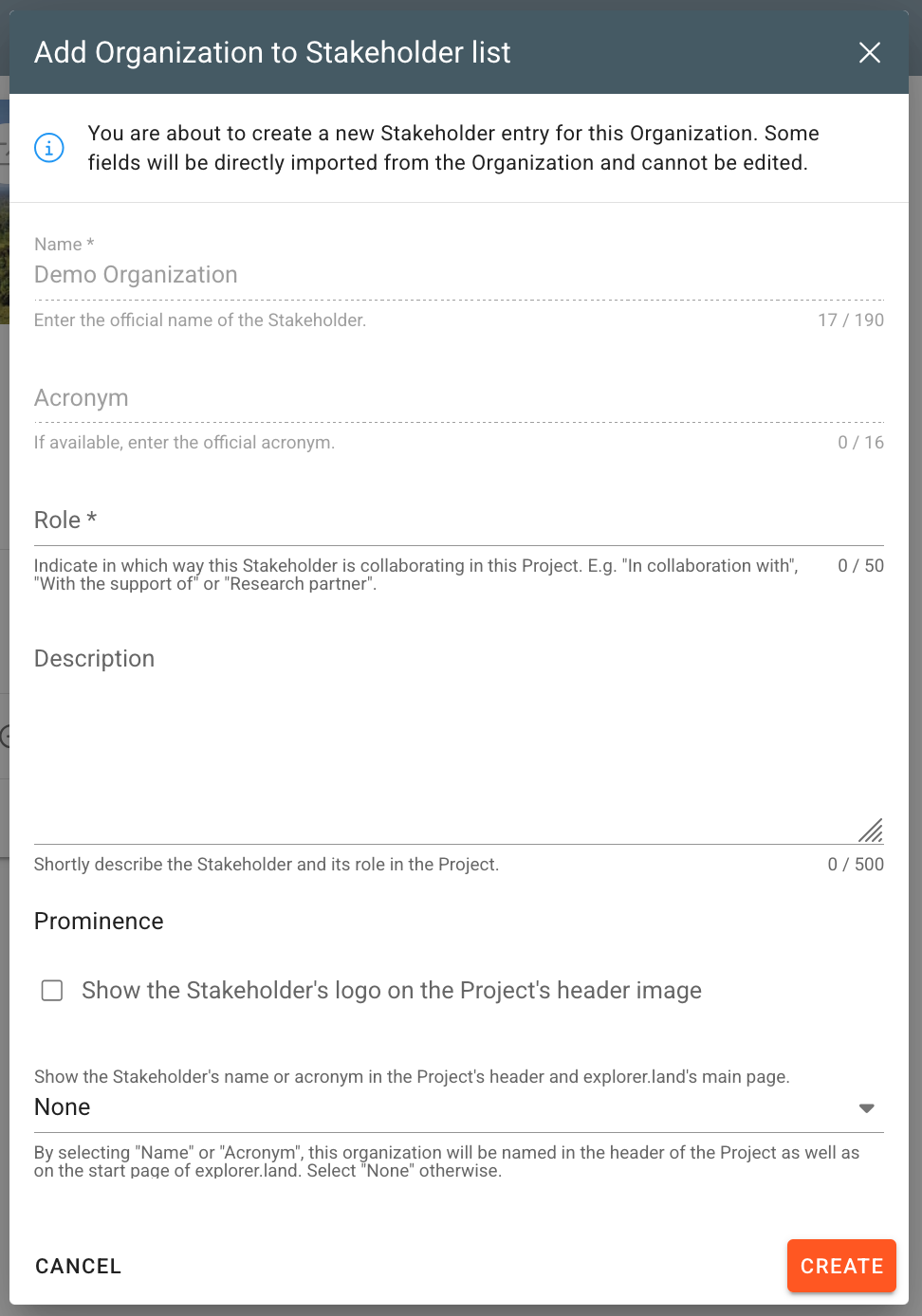
Add the missing information or update existing one. Please notice that certain fields (organization name and acronym, as well as logo) will be imported from the Linked Organization and are blocked.
To conclude the process, click on Create (or Update - depending on the case).
The Linked Organization will now be listed on the Stakeholder list. To learn more on how to manage the Stakeholder entries, check this article.
Detaching the Linked Organization from a Stakeholder entry
In order to detach a Linked Organization from the respective Stakeholder entry, click on the minus icon on the Organization's card.
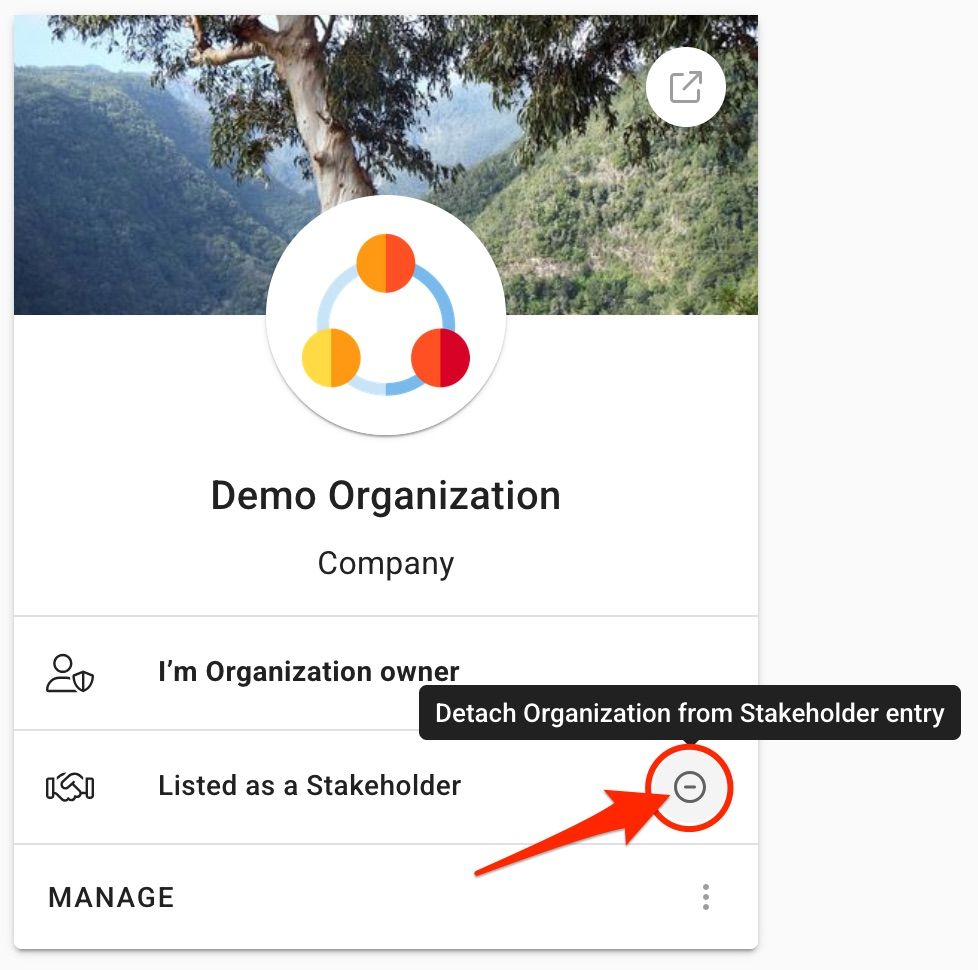
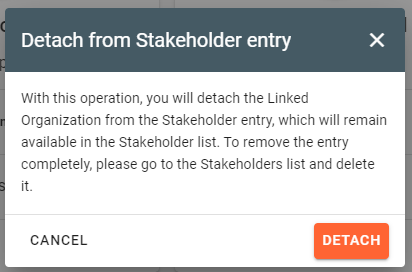
A warning popup will appear indicating that this operation will not delete the entry from the Stakeholder list. Confirm by clicking the Detach button.
Was this helpful?
Still need help? Ask the team