Configure your User Account
Last updated 4 months ago
To access your User Account configuration page, you have two options:
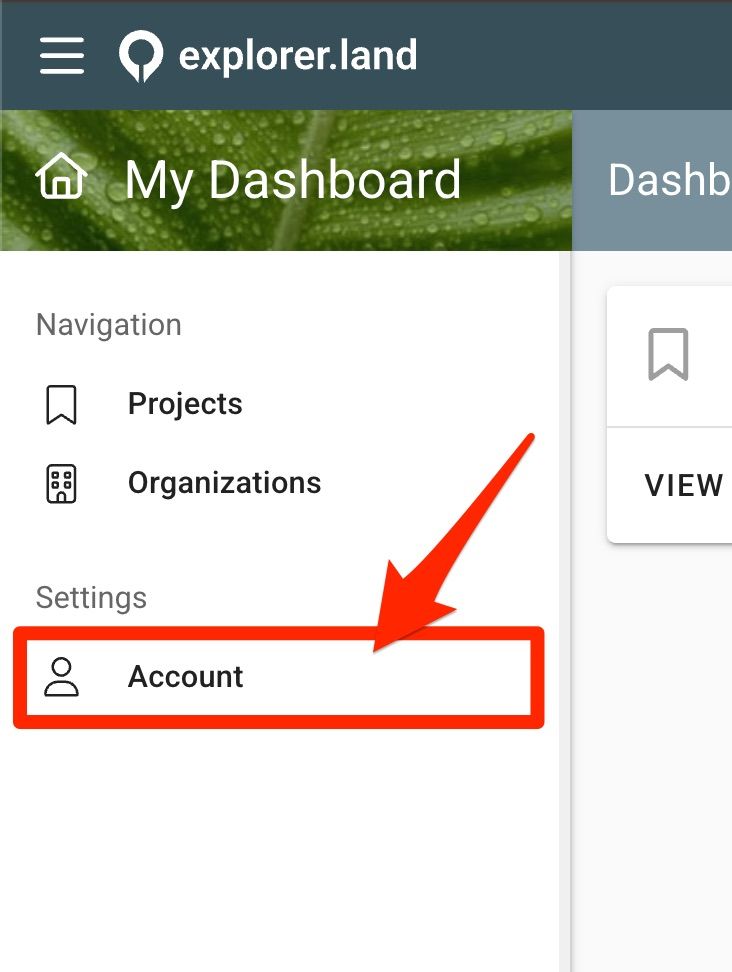
Click on the menu item "Account" in the Dashboard menu, or
Click the MY ACCOUNT button from the User drop down menu in the top right of your dashboard.
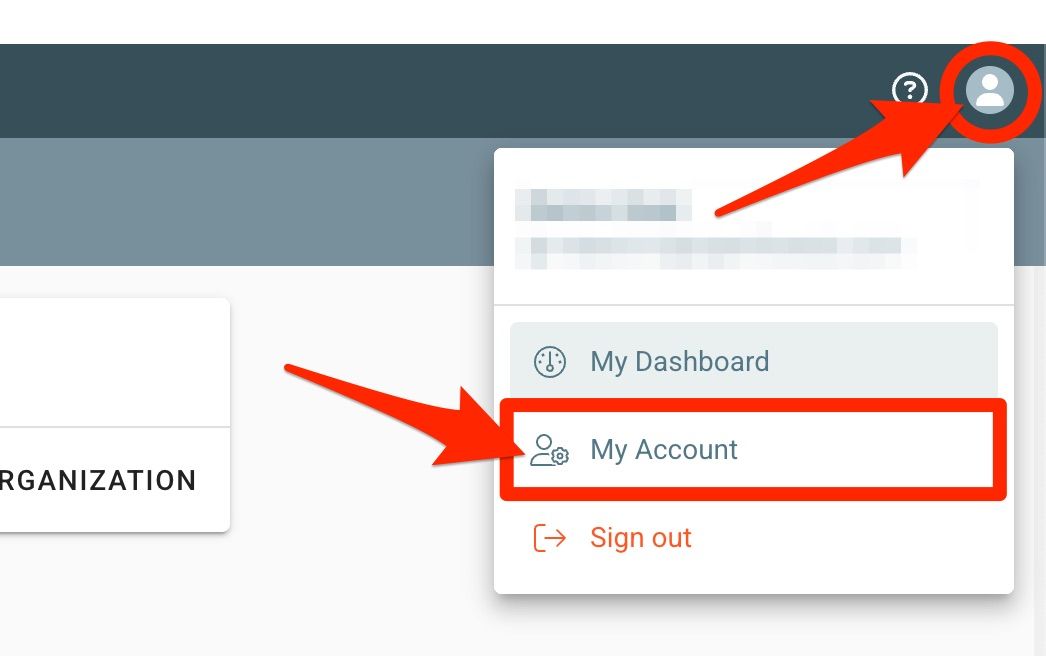
The URL corresponding to your User Account configuration page is explorer.land/backend/account
Each User can configured the following settings:
Appearance settings
Setting the avatar image
Setting the header image
Account information
Changing the name
Changing the username
Change password
Changing the User password
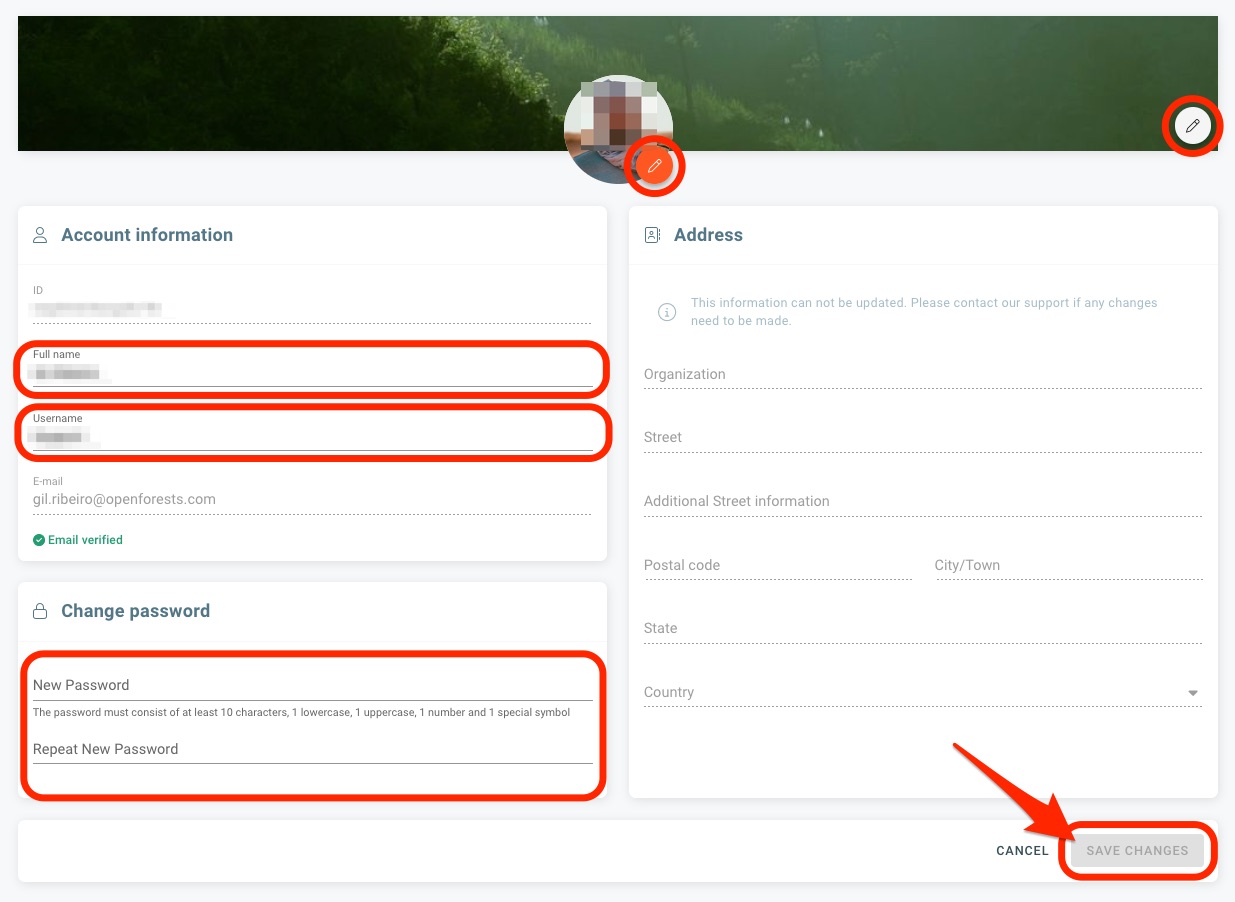
To edit your avatar and header images, click on the respective pen icons seen in the red circles.
To edit your real name, username or change the password, edit the respective fields in the right section. Make sure you confirm your changes by clicking on the SAVE CHANGES button.
Note: The email field and the Address section cannot be edited. Should you still need to change it, please get in touch with us.
Was this helpful?
Still need help? Ask the team