Tab order
Last updated 4 months ago
The Tabs containing information about your project, such as About, News, Sites and so on is located on the left side bar of your Project presentation page.
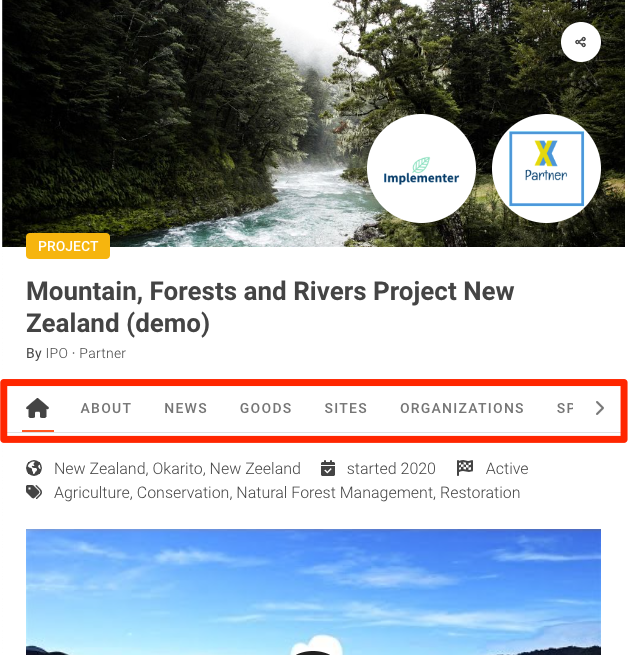
You have the option to reorder these Tabs to your preference.
Reordering the Tabs
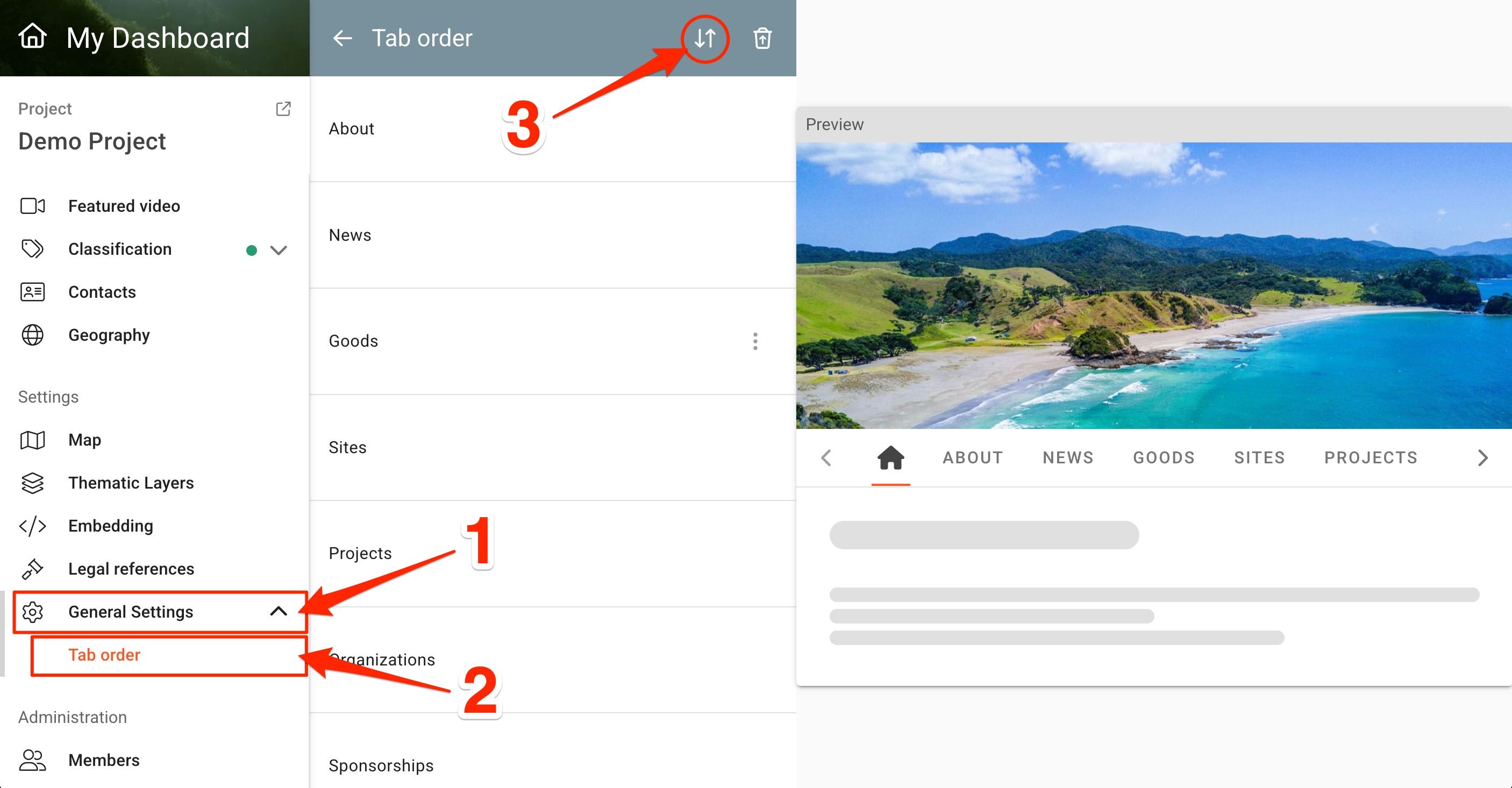
In order to reorder the Tabs, navigate to your Project overview page and open the "General Settings" page, located on the left side menu section ①. Next, click on "Tab order" ②. Finally, to activate the reorder function click on the reorder icon ③.
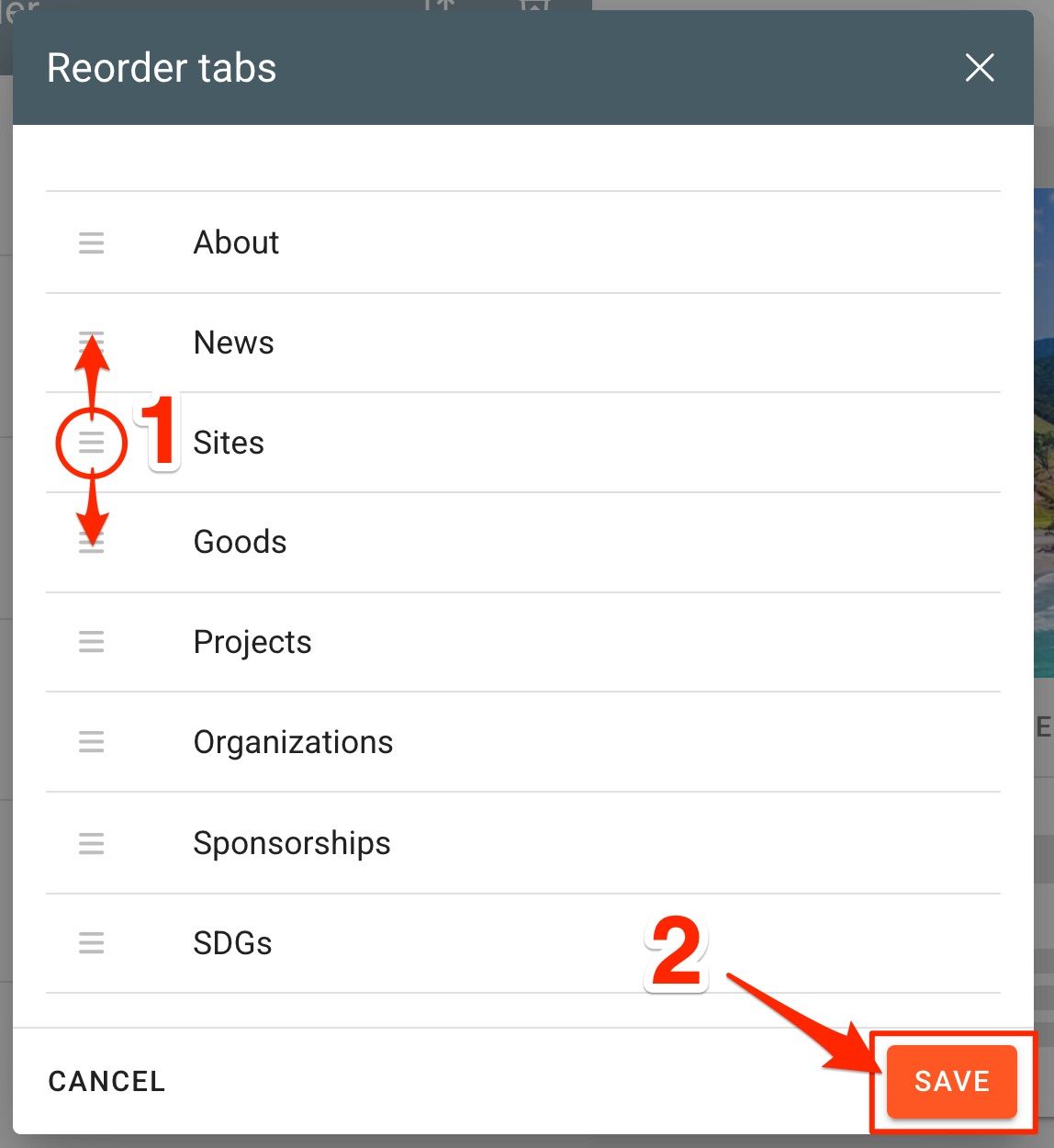
The "Reorder tabs" window will open. You will now be able to reorder the tabs by dragging the tabs up and down to your preferred order ①. Click Save when you are finished ②.
Was this helpful?
Still need help? Ask the team