General classification
Last updated 4 months ago
It is possible to classify Projects by adding tags related to four different categories, namely Type of Organization, Type of Activities, Type of Ecosystem and Type of Landownership. The classification plays a role when searching for Projects on explorer.land's landing page, where users are allowed to filter search results by different tags.
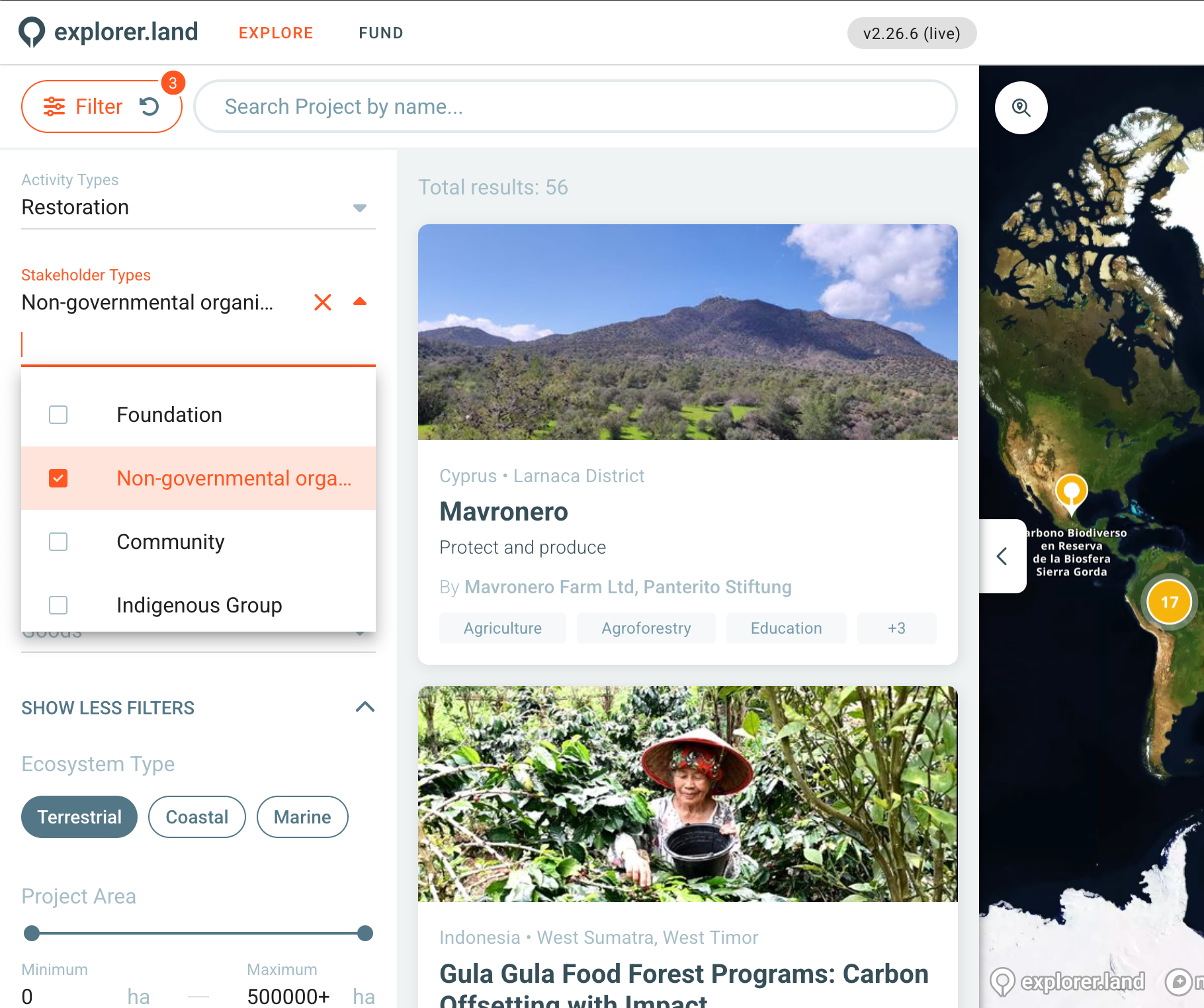
Visitors searching for projects on explorer.land are allowed to filter the search results by combining different tags.
When you create a project, you already get asked for these classifications, but if you left them blank or want to reedit them, do the following steps.
Classifying Projects
In order to classify your project, navigate to the classification settings page.
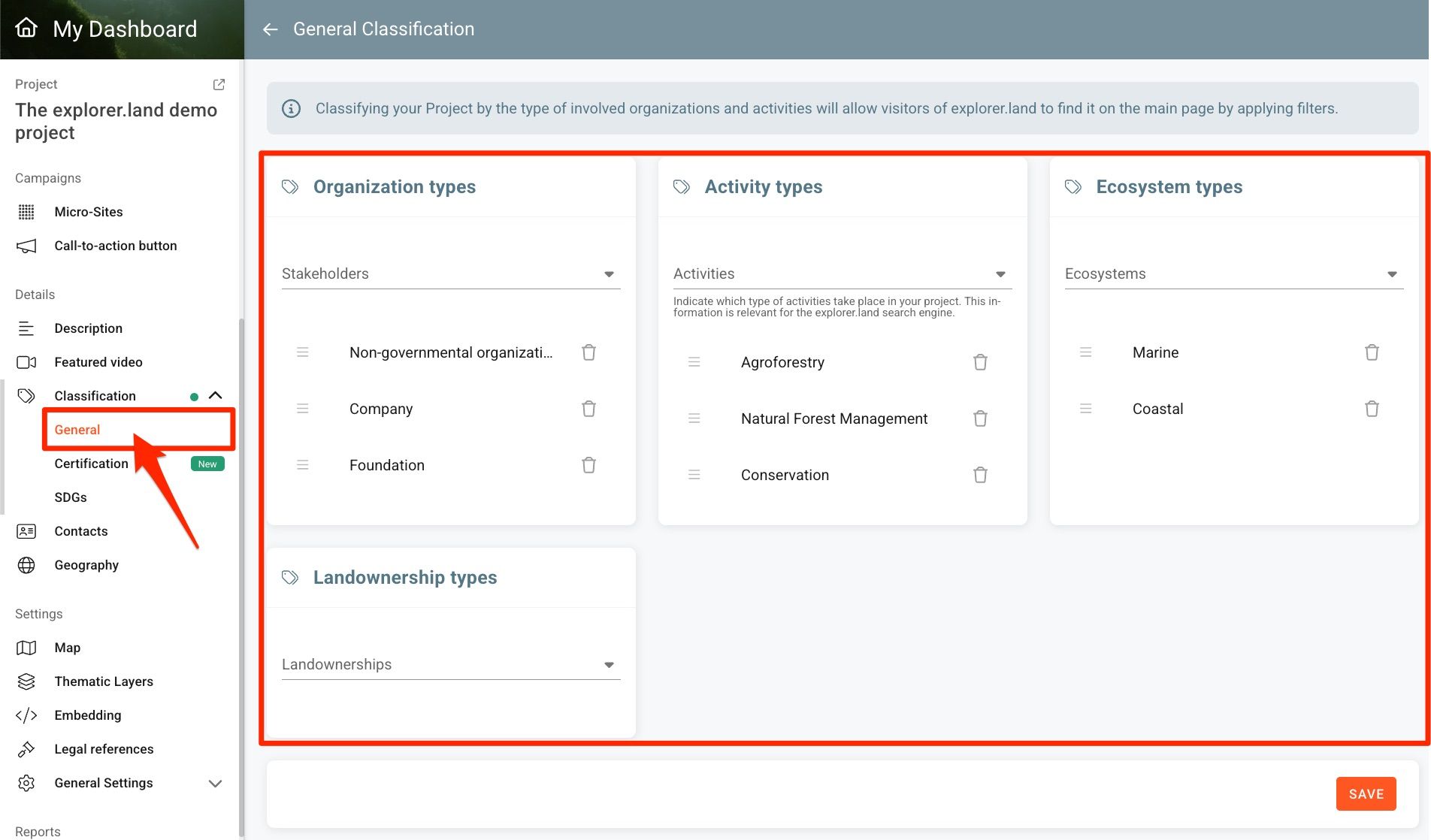
For each of the four category groups, you can select more than one tag from a drop-down list which best fit to the nature of your project.
Organization types
Indicate which type of organizations make up all involved Partners of your Project.
Activities
Select which activity types define your project.
Ecosystem type
Select wich ecosystem type your project is a part of.
Landownership type
Select wich type of landownership applies to your project area.
You can sort the tags by dragging and dropping them in the chosen position.
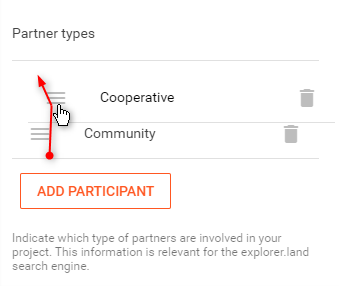
The tags will be presented in that sequence to the visitor and should roughly reflect their importance in the context of the Project.
Click on the SAVE button to save the changes.
Proposing new tags
The available tags are predefined. Should you feel that a certain tag is missing and the available ones do not correctly describe your project, please send your proposed tag to support@openforests.com.
Was this helpful?
Still need help? Ask the team