Stakeholder Label
Last updated 4 months ago
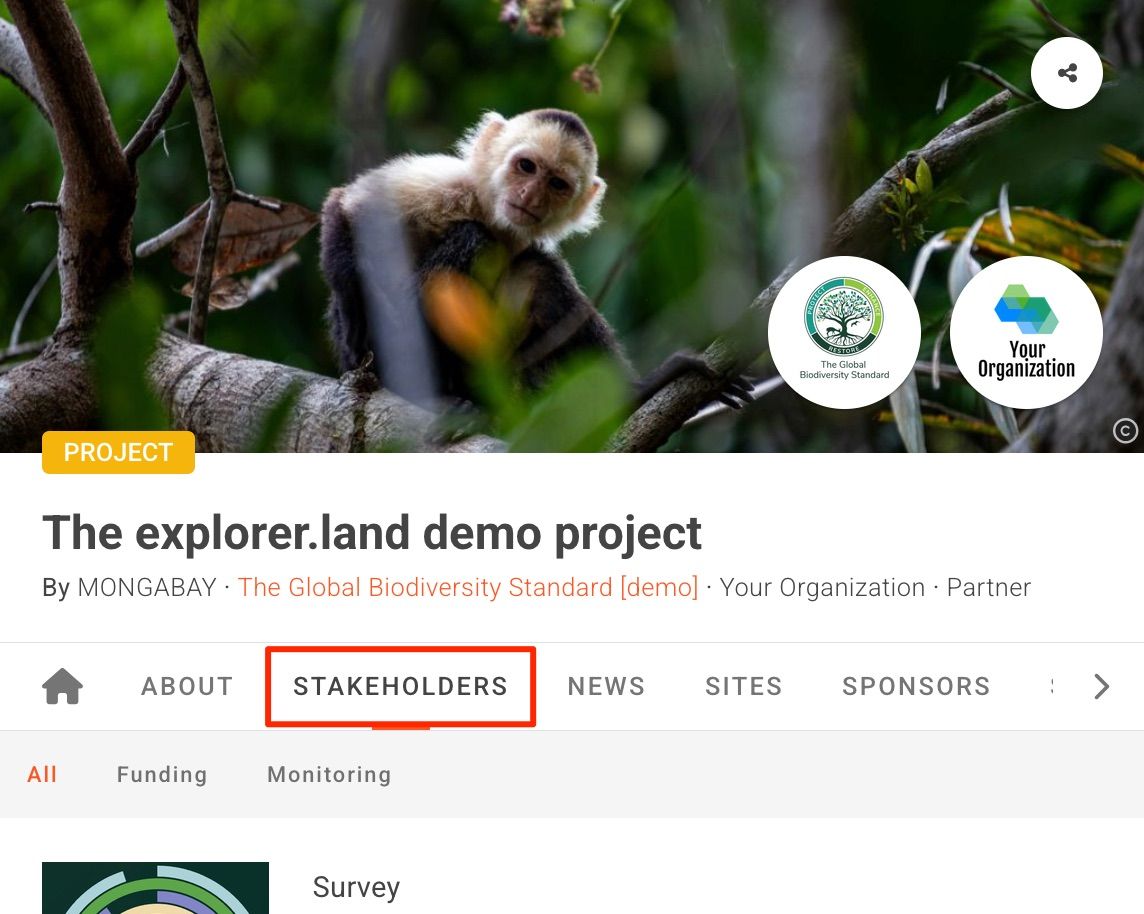
By default, the name of the Stakeholders tab on your project profile page is “Stakeholders” as seen below. You can change this label to Organizations, Partners or Collaborators.
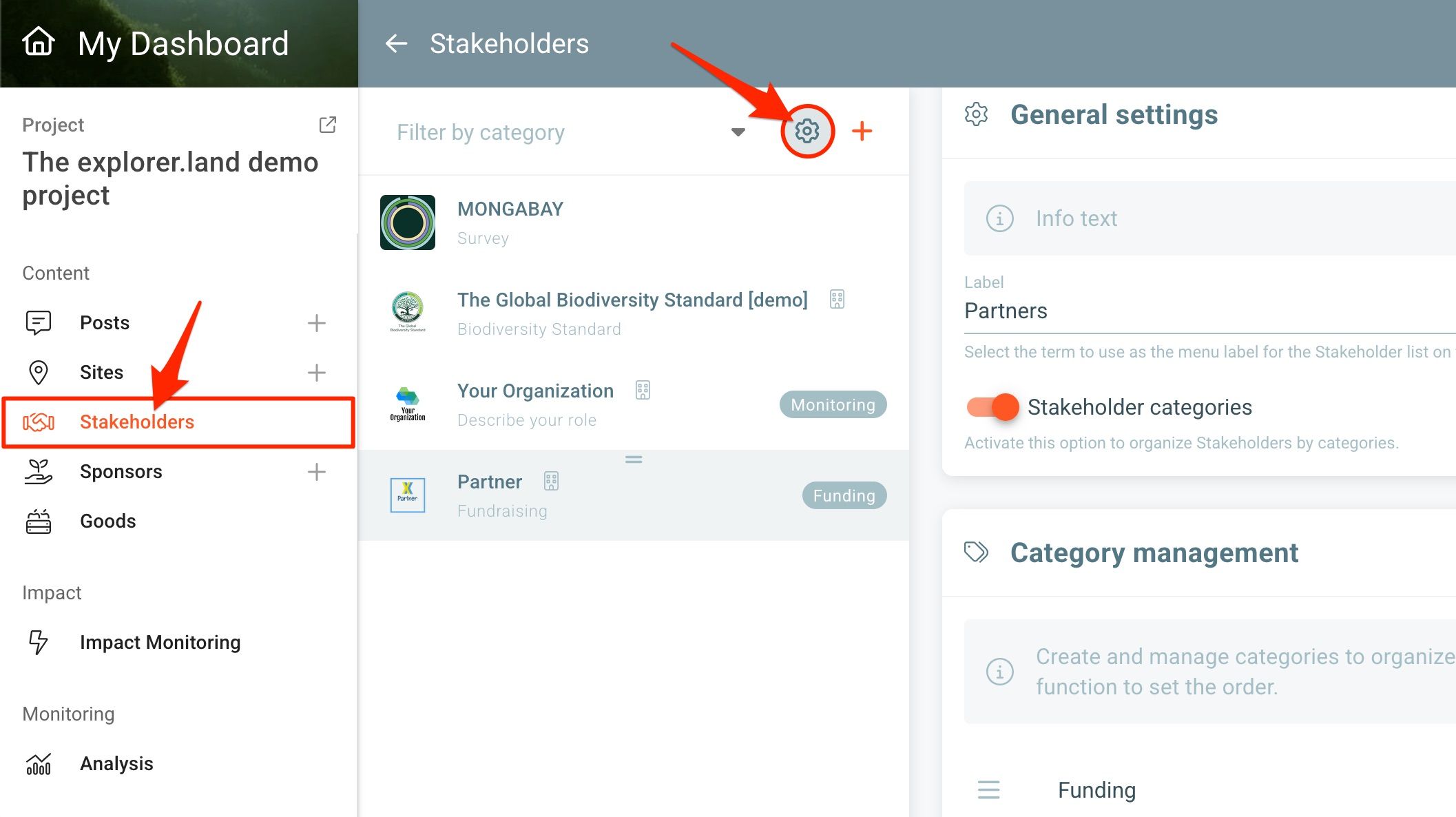
To change the label, open the Stakeholder settings in your Stakeholder list page, by clicking on the settings button (cog icon). The Stakeholder General settings section will open on the right side.
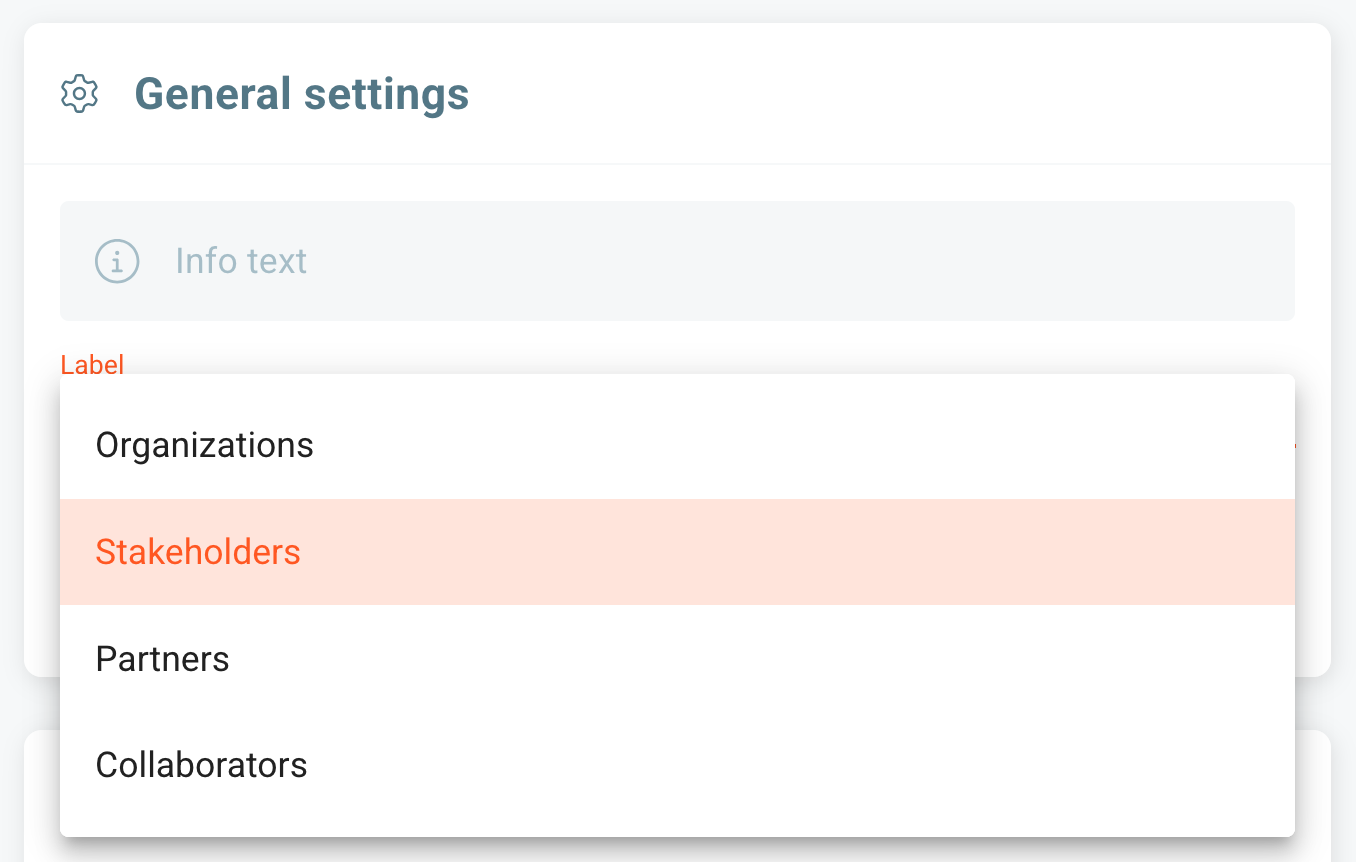
Click on the Label field. A dropdown menu will open with the options: Organizations, Stakeholders, Partners or Collaborators. Choose your prefered label.
Click SAVE when finished.
Was this helpful?
Still need help? Ask the team